

Handle Alerts in Puppeteer
Unlike other automation tools, puppeteer works a bit differently at Javascript alerts. Every automation tools take the decision whether to accept the alert or to dismiss after the alerts are thrown on UI. The user should provide the decision to the Puppeteer before it can handle the alerts.
Users must register events using the on event listener in the puppeteer so that the puppeteer can handle the alert.
In simple words, you should tell the puppeteer what it should if an alert occurs.
const puppeteer = require('puppeteer');
async function run(){
	const browser = await puppeteer.launch({headless:false})
    const page = await browser.newPage();
	page.on('dialog', async dialog => {
    console.log(dialog.message());
    await dialog.dismiss();
	});
	await page.goto('https://chercher.tech/practice/popups');
	await page.click("input[name='alert']")
    await browser.close();
}
run()Methods of Dialog/Alert puppeteer
We can perform few operations on the alert, below are few operations that we can perform
- Accept : It is similar to pressing the OK button
page.on('dialog', async dialog => { console.log(dialog.accept()); }); await page.goto('https://chercher.tech/practice/popups'); await page.click("input[name='alert']") - Dismiss : It is the same as pressing x mark (there is no function to press cancel)
page.on('dialog', async dialog => { await dialog.dismiss(); }); await page.goto('https://chercher.tech/practice/popups'); await page.click("input[name='confirm']") - message : message() method fetches the text present in the alert
page.on('dialog', async dialog => { console.log(dialog.message()); }); await page.goto('https://chercher.tech/practice/popups'); await page.click("input[name='confirm']") - defaultValue() : This is applicable only to prompts, this to type text to prompt text bar.
page.on('dialog', async dialog => { console.log(dialog.defaultValue("1234)); }); await page.goto('https://chercher.tech/practice/popups'); await page.click("input[name='prompt']")
Alerts/Dialogs in Puppeteer
Alerts on the webpage used to get the attention of the user to perform some operation on the alert or on the webpage, sometimes alerts expect input from the user. Alert prevents the user from accessing other parts of the web page until the box is closed.
Javascript Alert Types :
- Alert : The
alert()method displays an alert box with a message and an OK button, an alert box is often used to inform a user about a particular operation like details saved in Database, right-click disabled, Loaded successfully such kind of messages.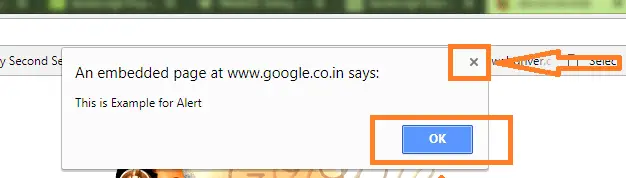
- Confirmation dialog : Confirmation box is the second kind of alert, it displays a dialog with OK and Cancel button. Confirmation box informs the developer about user choice whether the user pressed OK or Cancel. The
confirm()method returns true if the user clicked "OK", and false otherwise('X' icon and 'Cancel') to the developer.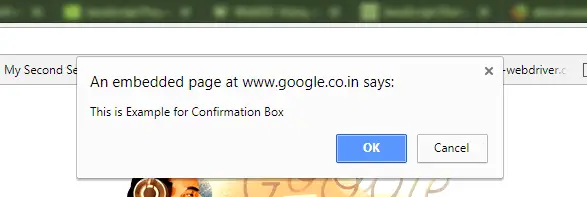
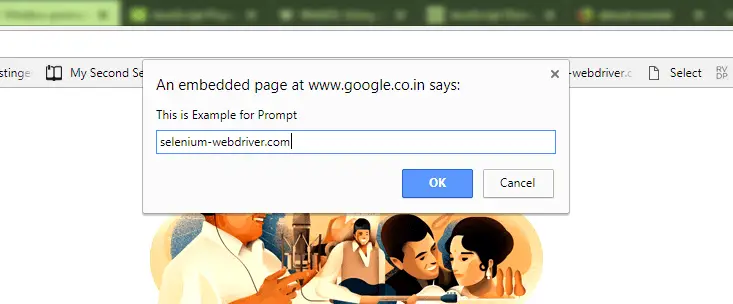
- Prompt : Prompt is used to get value from the user in text format. Prompt provides textbar for user input, Prompt is rarely used for alert type.
Recommended Readings
I am Pavankumar, Having 8.5 years of experience currently working in Video/Live Analytics project.
